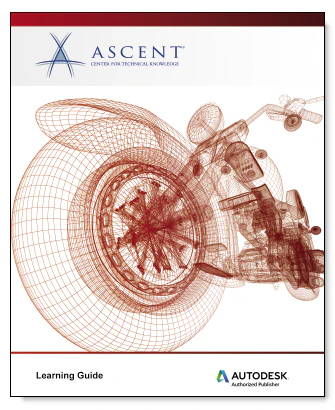

Ascent Autodesk Fusion 360: Introduction to Sculpting with T-Spline Surfaces eBook
Software Version
As a cloud-based platform, updates are frequently available for the Autodesk Fusion 360 software. This guide has been developed using software version: 2.0.6670. If you are using a version of the software later than version 2.0.6670, you might notice some variances between images and workflows in this learning guide and the software that you are using.
Topics Covered:
- Describing the differences between solid and T-Spline surface modeling.
- Creating new projects, loading files into projects, and opening files for use in the Autodesk Fusion 360 software.
- Using the Autodesk Fusion 360 interface, navigating a design, locating commands, and controlling a design’s visual display.
- Creating T-Spline surface geometry using the Box, Plane, Cylinder, Sphere, Torus, and Quadball quick shape tools.
- Creating planar and non-planar flat surfaces.
- Attaching a canvas image to a plane and using it to create T-Spline geometry.
- Editing the shape of a T-Spline’s control frame by manipulating its points, edges, and faces.
- Assigning or clearing symmetry on T-Spline geometry.
- Creating, constraining, and dimensioning 2D sketches.
- Creating and using construction features in a design.
- Creating extruded T-Spline geometry by extruding a sketch.
- Creating revolved T-Spline geometry by revolving a sketch around a centerline.
- Creating swept T-Spline geometry using appropriate path and profile entities.
- Creating lofted T-Spline geometry using appropriate profile and reference entities.
Product Information
Product Information
Shipping & Returns
Shipping & Returns
Description
Software Version
As a cloud-based platform, updates are frequently available for the Autodesk Fusion 360 software. This guide has been developed using software version: 2.0.6670. If you are using a version of the software later than version 2.0.6670, you might notice some variances between images and workflows in this learning guide and the software that you are using.
Topics Covered:
- Describing the differences between solid and T-Spline surface modeling.
- Creating new projects, loading files into projects, and opening files for use in the Autodesk Fusion 360 software.
- Using the Autodesk Fusion 360 interface, navigating a design, locating commands, and controlling a design’s visual display.
- Creating T-Spline surface geometry using the Box, Plane, Cylinder, Sphere, Torus, and Quadball quick shape tools.
- Creating planar and non-planar flat surfaces.
- Attaching a canvas image to a plane and using it to create T-Spline geometry.
- Editing the shape of a T-Spline’s control frame by manipulating its points, edges, and faces.
- Assigning or clearing symmetry on T-Spline geometry.
- Creating, constraining, and dimensioning 2D sketches.
- Creating and using construction features in a design.
- Creating extruded T-Spline geometry by extruding a sketch.
- Creating revolved T-Spline geometry by revolving a sketch around a centerline.
- Creating swept T-Spline geometry using appropriate path and profile entities.
- Creating lofted T-Spline geometry using appropriate profile and reference entities.